



TikTok profile pictures appear as tiny circular thumbnails in the app, but they’re actually stored in much higher resolution on TikTok’s servers. Whether you’re a content creator gathering inspiration, a designer researching visual branding, or simply want to save a profile picture clearly, screenshotting won’t give you the quality you need.
The compressed, zoomed-in screenshots look pixelated and blurry—far from the crisp, high-definition original. So how do you access the full-size version?
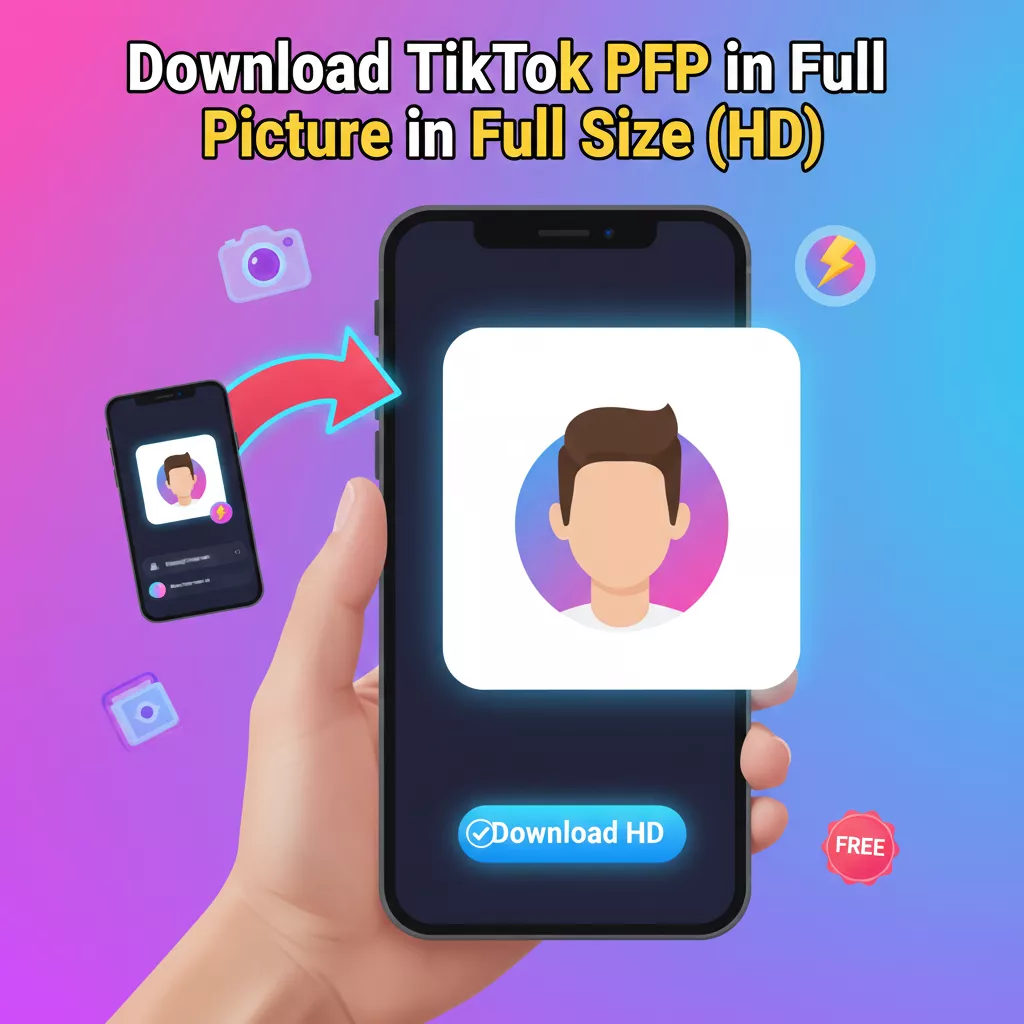
You can download a TikTok profile picture in full size by copying the profile URL or username, pasting it into an online TikTok profile picture downloader tool, and clicking download. Unfreezetools PFP Downloader extracts the original HD image directly from TikTok’s servers without requiring a login, preserving full resolution and quality. The process takes less than 30 seconds and works on mobile and desktop devices.
Understanding TikTok Profile Picture Resolution
A full-size TikTok profile picture is the original high-resolution image file stored on TikTok’s content delivery network (CDN), typically ranging from 200×200 to 800×800 pixels or higher, depending on when it was uploaded. This is significantly larger and clearer than the compressed 98×98 pixel thumbnail displayed in the app interface.
When you view someone’s profile in TikTok, you’re seeing a heavily compressed, downsized version optimized for fast loading and minimal data usage. TikTok’s image processing system creates multiple versions of each uploaded profile picture:
- Display thumbnail: 98×98 pixels (what you see in the app)
- Medium resolution: 200×200 to 400×400 pixels (used in some contexts)
- Full resolution: 800×800 pixels or the original upload size (stored but not directly displayed)
The full-size version maintains the original clarity, color depth, and detail that the user uploaded. Accessing this version requires bypassing TikTok’s standard display compression, which is exactly what specialized downloader tools do.
Key Characteristics of Full-Size Profile Pictures
- Original resolution and dimensions: No artificial downsizing or cropping applied
- Preserved image quality: All details, colors, and sharpness retained from the original upload
- No compression artifacts: Eliminates the blocky, pixelated appearance of low-res versions
- Suitable for professional use: Clear enough for presentations, portfolios, or design mockups
Understanding this distinction is crucial because many users waste time trying methods that can only access the compressed versions, never getting the true HD image.
Why You Can’t Get Full Size from Screenshots
Screenshots capture only what’s displayed on your screen—the compressed 98×98 pixel thumbnail—and add another layer of compression during the capture process. Even if you zoom in before screenshotting, you’re just enlarging an already low-resolution image, which creates blur and pixelation rather than revealing actual detail.
Let’s break down exactly why screenshots fail to deliver quality:
Technical Limitations of Screenshots
1. Display Resolution ≠ Image Resolution
Your screen shows a scaled-down, optimized version of the profile picture. TikTok intentionally serves low-resolution images in the app interface to improve loading speeds and reduce bandwidth usage. When you screenshot, you’re capturing this already-degraded version, not the original file.
2. Compression Stacking
Every screenshot adds compression:
- Original image: 800×800 pixels (example)
- TikTok display: Compressed to 98×98 pixels
- Your screen: Further optimized for display
- Screenshot: Adds device-level compression
- Result: Multiple layers of quality loss
3. Zoom Doesn’t Add Detail
Many users try zooming into the profile picture before screenshotting, hoping to capture more detail. Unfortunately, digital zoom simply enlarges existing pixels—it doesn’t create new information. The result is a blurry, blocky image with visible pixelation.
4. Interface Elements
Screenshots inevitably capture UI elements like buttons, text overlays, or the circular crop mask that TikTok applies to profile pictures. Removing these elements requires manual editing and often results in awkward cropping.
Real-World Quality Comparison
- Screenshot method: 98×98 pixels, compressed, with interface elements
- Downloader method: 800×800 pixels (or higher), original quality, clean image
The difference is immediately noticeable—text is crisp, colors are accurate, and fine details are preserved. For any professional or archival use, screenshots simply aren’t adequate.
Best Method
Online TikTok profile picture downloaders are web-based tools that access TikTok’s CDN directly to retrieve the original, full-resolution profile image. They work by parsing the profile URL or username, locating the high-quality image file on TikTok’s servers, and presenting it for download—all without requiring you to log in or install software.
Why Online Downloaders Are the Superior Solution
Unlike screenshots, browser tricks, or mobile apps, dedicated online downloaders offer several distinct advantages:
✅ Direct CDN Access
These tools query TikTok’s content delivery network to fetch the original image file, bypassing the app’s display compression entirely. You get the exact file that was uploaded, at its maximum available resolution.
✅ No Software Installation
Everything happens in your web browser. There’s no need to download apps that could contain malware, request unnecessary permissions, or take up storage space on your device.
✅ Cross-Platform Compatibility
Online downloaders work identically on Windows, Mac, Linux, iOS, Android, and any device with a web browser. The same tool serves desktop and mobile users without modification.
✅ No Login Required
Reputable downloaders don’t ask for your TikTok credentials, protecting your account security and privacy. You don’t need to be logged into TikTok to download profile pictures.
✅ Instant Results
The entire process takes 10-30 seconds: paste the link, generate the image, and download. No waiting, no processing queues, no limits on free usage (on quality tools).
✅ Clean Downloads
- No watermarks added to the image
- No interface elements or circular masks
- Original square format preserved
- No ads embedded in the downloaded file (on reputable tools)
Step-by-Step Download Instructions
Here’s the most reliable method to download any TikTok profile picture in full HD quality:
Method 1: Using Profile Link (Recommended)
Step 1: Open the TikTok Profile
- Open the TikTok app or visit TikTok.com in your browser
- Navigate to the profile whose picture you want to download
- Make sure you can see their profile page (not just a video)
Step 2: Copy the Profile Link
In the TikTok App:
- Tap the three dots (⋯) in the top-right corner of the profile
- Select “Copy Link” or “Share” → “Copy Link”
- The profile URL is now on your clipboard
In a Web Browser:
- Simply copy the URL from your address bar
- It should look like:
https://www.tiktok.com/@username
Step 3: Open a TikTok Profile Picture Downloader
Go to a trusted online downloader tool:
👉 TikTok Profile Picture Downloader
This tool is:
- ✅ Free to use with no hidden fees
- ✅ No registration or login required
- ✅ No watermarks on downloaded images
- ✅ Works on all devices and browsers
Step 4: Paste and Generate
- Find the input field on the downloader page
- Paste the TikTok profile link you copied (Ctrl+V or Cmd+V)
- Click “Download” or “Generate” button
- The tool will process the request in 2-5 seconds
Step 5: Download the HD Image
- Once processed, a download button or preview will appear
- Click “Download HD Image” or “Save”
- The full-size profile picture will save to your device
- Location: Check your Downloads folder or browser’s default save location
Total time: Less than 30 seconds from start to finish.
Method 2: Using Username Only
If you know the username but don’t want to visit the profile:
Step 1: Format the Username
- Ensure it includes the @ symbol:
@username - Or just the username without @:
username
Step 2: Enter Directly
- Go to the TikTok Profile Picture Downloader
- Paste or type the username in the input field
- The tool will automatically construct the profile URL
Step 3: Download
- Click generate and download as described above
- Same full-size HD quality
This method is faster when you’re downloading multiple profile pictures or working from a list of usernames.
Mobile vs Desktop: How to Download on Each Platform
The process is nearly identical across devices, but here are platform-specific tips:
On iPhone (iOS)
Step 1: Copy Link in TikTok App
- Open TikTok app
- Go to the profile
- Tap “Share” (arrow icon) → “Copy Link”
Step 2: Open Safari or Chrome
- Paste the downloader URL in your browser
- Paste the profile link
- Tap “Download”
Step 3: Save to Photos
- When the image appears, tap and hold it
- Select “Add to Photos” or “Save Image”
- Alternatively, tap the share button → “Save Image”
Tip: If your browser asks permission to download files, grant it. The image will save to your Photos app automatically.
On Android
Step 1: Copy Link in TikTok App
- Open TikTok
- Navigate to profile
- Tap three dots (⋯) → “Copy Link”
Step 2: Open Chrome or Browser
- Visit the downloader tool
- Paste the profile URL
- Tap “Download”
Step 3: Save to Gallery
- The image will download to your Downloads folder
- Open Gallery or Files app to view it
- You can move it to specific albums if desired
Tip: Some Android browsers show a notification when downloads complete—tap it to open the image directly.
On Desktop (Windows & Mac)
Step 1: Open TikTok in Browser
- Visit TikTok.com
- Navigate to the desired profile
- Copy the URL from the address bar
Alternative: If using the TikTok desktop app, you’ll need to access the web version instead, as the app doesn’t provide easy URL copying.
Step 2: Use Downloader Tool
- Open the profile picture downloader in a new tab
- Paste the profile URL
- Click “Download”
Step 3: Save to Computer
- Click the download button when the image appears
- Choose save location (or use default Downloads folder)
- The image saves instantly with original filename or a default name
Pro Tip: Right-click the downloaded image and rename it immediately to something memorable like “username_profile_pic.jpg” for easier organization.
Safety and Legal Considerations
Understanding the safety and legal aspects of downloading profile pictures is important for responsible usage.
Is It Safe to Use Online Downloaders?
When used properly, yes—but with important caveats:
Safe When Using Reputable Tools:
- Established downloaders with HTTPS encryption
- No login or personal information required
- No software installation needed
- Clear privacy policies
Avoid Suspicious Tools That:
- Ask for your TikTok password or login credentials (legitimate tools NEVER need this)
- Require app installations or browser extensions
- Display excessive pop-up ads or redirects
- Request unnecessary permissions or personal data
- Don’t use HTTPS (check for the lock icon in your browser)
Best Security Practices:
- Use tools from trusted domains
- Never enter your TikTok credentials on third-party sites
- Keep your browser and antivirus software updated
- Verify the website URL before entering any information
- Read user reviews and check the tool’s reputation
The downloader recommended in this guide by UnfreezeTools operates safely without requiring login or personal information.
Legal Considerations: Can You Download TikTok Profile Pictures?
The legal answer is nuanced:
Generally Permitted:
- Personal reference or inspiration: Saving profile pictures to view later, study design styles, or gather creative inspiration
- Educational purposes: Using in presentations, research, or academic work with proper attribution
- Fair use scenarios: Commentary, criticism, or transformative uses may qualify as fair use under copyright law
Legally Risky or Prohibited:
- Commercial reuse: Using someone’s profile picture in advertising, products, or commercial content without permission
- Impersonation: Creating fake accounts or profiles using another person’s image
- Misrepresentation: Falsely claiming to be the person in the profile picture
- Redistribution: Sharing or selling downloaded images as your own content
Key Legal Principle:
Profile pictures are copyrighted works owned by the person who created or uploaded them. Downloading for personal viewing falls under implied consent in most jurisdictions, but republishing or commercial use requires explicit permission from the copyright holder.
Best Practices to Stay Legal:
- Download only for personal, educational, or fair use purposes
- Never impersonate others using their profile pictures
- If using publicly (e.g., in a blog post or presentation), credit the original TikTok user
- For commercial use, contact the user directly to request permission
- Respect private accounts—if someone’s profile is private, don’t attempt to access their images
According to the Electronic Frontier Foundation’s guidance on fair use, transformative and non-commercial uses have stronger legal protection, while direct copying for commercial gain is more likely to constitute infringement.
Common Problems and Solutions
Even with straightforward tools, you might encounter issues. Here are the most common problems and their fixes:
Problem 1: “Image Not Loading” or “Profile Not Found”
Possible Causes:
- Username typed incorrectly (missing @ symbol or typos)
- Profile URL is incomplete or malformed
- The account has been deleted or banned
- Private account restrictions
- Temporary server issues
Solutions:
✔ Double-check the username spelling and ensure it matches exactly (TikTok usernames are case-insensitive but must be spelled correctly)
✔ Verify the profile exists by visiting it directly in TikTok first
✔ Try copying the link again instead of manually typing the username
✔ For private accounts: These profiles restrict access; you may need to follow and be accepted first, though most downloaders can’t access private profile pictures.
✔ Wait and retry: If TikTok’s servers are experiencing issues, try again in 5-10 minutes
Problem 2: Downloaded Image Is Low Quality or Blurry
Possible Causes:
- The user uploaded a low-resolution profile picture originally
- The downloader tool is fetching the thumbnail instead of full size
- Browser caching issues showing an old version
Solutions:
✔ Ensure you’re using a reputable downloader that specifically advertises “full size” or “HD” downloads
✔ Clear your browser cache and try downloading again
✔ Verify the original image quality by zooming into the profile picture on TikTok’s web version—if it looks pixelated there, the user uploaded a low-res image
✔ Try a different downloader tool if the first one consistently delivers low-quality results
✔ Check the file size: Full-resolution profile pictures are typically 50-500 KB; if your download is only 5-10 KB, it’s likely a thumbnail
Problem 3: Downloader Tool Not Working or Showing Errors
Possible Causes:
- Browser compatibility issues
- Ad blockers interfering with the tool
- JavaScript disabled in browser settings
- Network connectivity problems
- The tool’s server is temporarily down
Solutions:
✔ Refresh the page and try again
✔ Try a different browser (Chrome, Firefox, Safari, Edge all work)
✔ Disable ad blockers temporarily as they can sometimes block legitimate scripts
✔ Ensure JavaScript is enabled in your browser settings (required for most web tools)
✔ Check your internet connection
✔ Try on a different device to determine if the issue is device-specific
✔ Visit the tool’s homepage to see if there are any announced outages or maintenance
Problem 4: Download Button Isn’t Appearing
Solutions:
✔ Wait a few seconds for processing to complete
✔ Scroll down the page—some tools display the download button below the input field
✔ Disable pop-up blockers that might be hiding the download interface
✔ Try right-clicking the image and selecting “Save Image As” if the button doesn’t appear
Problem 5: Can’t Download on Mobile Device
Solutions:
✔ Grant browser permission to download files when prompted
✔ Use Safari (iOS) or Chrome (Android) rather than in-app browsers
✔ Long-press the image and select “Save Image” or “Download Image.”
✔ Check storage space on your device
✔ Ensure your browser isn’t set to block downloads in its settings
Alternative Methods (and Why They Don’t Work Well)
You may encounter other suggested methods online. Here’s why they’re inferior to online downloaders:
Method: Browser Inspect Element / Developer Tools
How it works: Right-click the profile picture → Inspect → Find the image URL in the HTML code
Why it’s not ideal:
- ❌ Time-consuming and requires technical knowledge
- ❌ Still often fetches the compressed thumbnail, not the full-size version
- ❌ Not mobile-friendly
- ❌ Requires multiple steps with room for error
Verdict: Technically possible but unnecessarily complicated.
Method: Mobile Apps from App Stores
How it works: Download a third-party TikTok downloader app
Why it’s not ideal:
- ❌ Requires installation and storage space
- ❌ Often contains ads or requests invasive permissions
- ❌ May contain malware or privacy-invasive tracking
- ❌ Many are outdated and stop working when TikTok updates its API
- ❌ Risk of account compromise if app requests login
Verdict: Higher security risk with no real advantage over web tools.
Method: Browser Extensions
How it works: Install a Chrome or Firefox extension for downloading TikTok content
Why it’s not ideal:
- ❌ Requires installation and browser permissions
- ❌ Can slow down browser performance
- ❌ Potential security vulnerabilities
- ❌ Limited to desktop browsers
- ❌ Some extensions have been found to harvest user data
Verdict: More risk than necessary when web tools work equally well.
Method: Screen Recording
How it works: Record your screen while viewing the profile picture, then take a screenshot from the video
Why it’s not ideal:
- ❌ Extremely inefficient
- ❌ Even lower quality than direct screenshots
- ❌ Multiple layers of compression
- ❌ Requires video editing software
- ❌ Large file sizes for temporary video files
Verdict: Worst possible method—never do this.
FAQs
Q: Can I download profile pictures from private TikTok accounts?
A: Most online downloaders cannot access profile pictures from private accounts, as these require authentication. If you follow a private account and have access, you might be able to screenshot it.
Q: Do I need to be logged into TikTok to download profile pictures?
A: No, reputable online downloaders do not require you to log in. They access publicly available data from TikTok’s servers. Never enter your TikTok credentials on a third-party downloader.
Q: Will the person know if I download their profile picture?
A: No, TikTok does not notify users when someone views or downloads their profile picture. This activity is completely anonymous, similar to viewing someone’s profile in the app.
Q: What resolution are TikTok profile pictures in full size?
A: Full-size TikTok profile pictures typically range from 200×200 pixels to 800×800 pixels, depending on what the user uploaded. Older accounts or those who uploaded low-resolution images may have smaller maximum sizes. Modern uploads at high resolution can be 800×800 or occasionally larger.
Q: Can I download profile pictures in bulk or multiple at once?
A: Most standard online downloaders process one profile at a time. For bulk downloading, you’d need to repeat the process for each username, or use more advanced tools (often paid) designed for batch processing. However, for typical use cases, downloading individually is fast enough.
Q: Are downloaded profile pictures watermarked?
A: When using quality downloader tools like the one recommended in this guide, no watermarks are added. The image you download is the original file exactly as stored on TikTok’s servers. Avoid tools that add their own watermarks or branding.
Q: Do these methods work for TikTok video thumbnails too?
A: This guide focuses on profile pictures specifically. Video thumbnails are handled differently by TikTok and typically require different downloader tools optimized for video content.
Take Action Now
Ready to download TikTok profile pictures in crystal-clear HD quality without the hassle of screenshots or low-quality captures?
👉 Start downloading now with the free TikTok Profile Picture Downloader
No signup. No watermarks. Just instant, full-size results.