



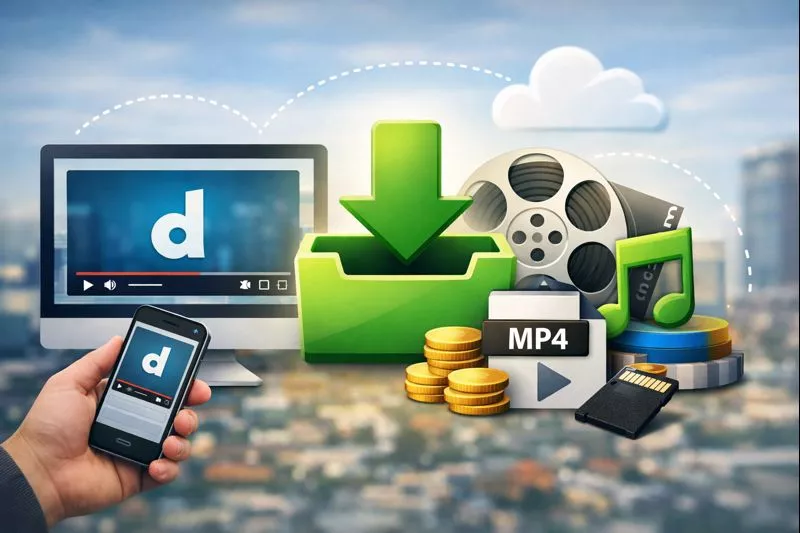
Sometimes you just want to save a Dailymotion video quickly, no apps, no extensions, no complicated setup. Whether it’s for offline learning, content research, or personal reference, installing heavy software for a single download often feels unnecessary.
That’s why many users now prefer online Dailymotion video downloaders. These tools work directly in your browser, are faster to use, and don’t put your device at risk.
You can download Dailymotion videos instantly without installing any software by using an online Dailymotion video downloader. Simply copy the video link, paste it into the downloader, choose your preferred quality, and save the video directly to your device. This method works on mobile and desktop, requires no registration, and keeps your system safe.
What Is Dailymotion?
Dailymotion is a global video-sharing platform where users can watch and upload videos related to news, entertainment, sports, education, and more.
Similar to YouTube, Dailymotion hosts a wide range of content, including:
Educational videos and lectures
News clips and interviews
Music and entertainment
Independent creator content
Many videos available on Dailymotion are not always easy to find elsewhere, which is why users often want to save them for offline use. Based on recent data (late 2024–2026), Dailymotion is a significant global video platform, often cited as the second-largest video-sharing site after YouTube.
Why Do People Download Dailymotion Videos?
People download Dailymotion videos to watch content offline, avoid buffering, save educational material, and archive videos for research or reference.
Common reasons include:
Watching videos without an internet connection
Saving tutorials, lessons, or lectures
Collecting references for marketing or content creation
Archiving rare or disappearing videos
Preparing offline presentations
Is It Legal to Download Dailymotion Videos?
Downloading Dailymotion videos is generally allowed for personal or educational use if the content is publicly available. Redistribution or commercial use without permission may violate copyright laws.
Keep these points in mind:
Download videos for personal or educational purposes only
Respect the rights of content creators
Avoid re-uploading or monetizing downloaded videos without consent
If a video is private or restricted, downloading it may not be permitted.
The Best Way to Download Dailymotion Videos Without Software
The safest and fastest way to download Dailymotion videos is by using an online downloader that works directly in your browser without installing any apps.
Compared to software-based tools, online downloaders offer:
No installation or setup
No storage usage on your device
Lower security risks
Compatibility with mobile and desktop devices
This approach is ideal for users who want quick results without technical complications.
How UnfreezeTools Helps You Download Dailymotion Videos
UnfreezeTools allows you to download Dailymotion videos by pasting the video link, selecting quality, and downloading instantly—no software, no login, no tracking.
Use the official tool here:
Dailymotion FreeVideo Downloader
Key benefits:
100% browser-based
Works on mobile and desktop
No sign-up or account required
Fast processing
Clean, beginner-friendly interface
Privacy-focused design
Step-by-Step: How to Download Dailymotion Videos Instantly
Copy the Dailymotion video link, paste it into an online downloader, select video quality, and download the file instantly.
Steps:
Open the Dailymotion video you want to save
Copy the video URL from your browser
Visit the Dailymotion video downloader
Paste the link into the input box
Click Download
Choose your preferred video quality
Save the file to your device
That’s it—no installation, no waiting.
When Online Downloaders May Not Work
Even reliable online tools can occasionally fail. This usually happens when:
The video is private or restricted
The content has regional limitations
Dailymotion temporarily changes its streaming format
Your internet connection is unstable
What you can do:
Refresh the page and try again
Make sure the video is publicly accessible
Retry after a few minutes
Use a stable internet connection
Being aware of these situations helps avoid frustration.
Mobile vs Desktop: Does It Work Everywhere?
Yes. Browser-based Dailymotion downloaders work on Android, iPhone, Windows, macOS, and Linux.
| Device | Supported |
|---|---|
| Android | ✅ |
| iPhone | ✅ |
| Windows | ✅ |
| macOS | ✅ |
| Linux | ✅ |
No extra apps or extensions are required.
Video Quality and Format Options
Most online Dailymotion downloaders support:
Multiple resolutions (SD, HD, Full HD when available)
MP4 format compatibility
Downloads without compression loss
This ensures the saved video maintains its original quality and plays smoothly on all devices.
Why Avoid Software-Based Downloaders?
Software downloaders often consume storage, require updates, slow your system, and may pose security risks.
Compared to them, online tools are often better because they:
Don’t require installation
Don’t affect system performance
Are quicker to use
Reduce exposure to malware
For most users, software simply isn’t necessary.
Safety and Privacy Considerations
A trustworthy online downloader should:
No account login
Do not store downloaded videos
Not track personal data
Use secure HTTPS connections
Avoid tools that:
Ask for a Google or social media login
Force browser extensions or app downloads
Redirect to suspicious pop-ups
Real-Life Use Cases
People commonly use Dailymotion video downloaders for:
Students saving lectures
Teachers preparing offline lessons
Marketers collecting video references
Travelers watching content without mobile data
Creators archiving inspiration
FAQs
Can I download Dailymotion videos without installing software?
Yes. Browser-based tools let you download videos instantly without installing anything.
Is UnfreezeTools free to use?
Yes. It’s completely free and doesn’t require registration.
Can I download Dailymotion videos on my phone?
Yes. It works on both Android and iPhone browsers.
Are my downloads private?
Yes. No personal data or download history is stored.
What video formats are supported?
MP4 format is usually available and works on all devices.