



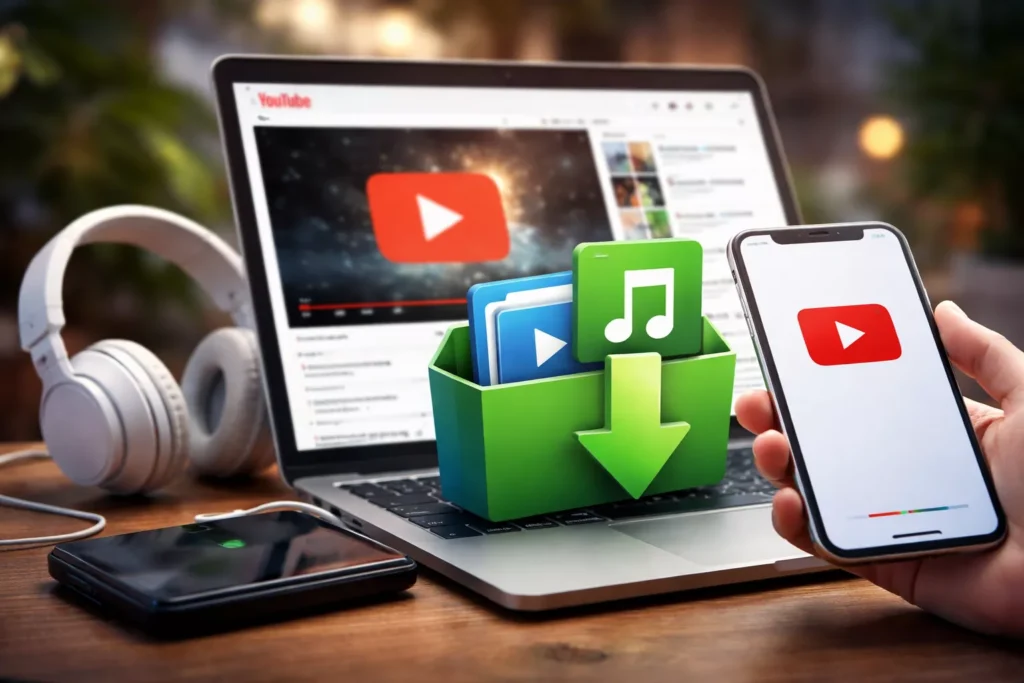
YouTube has become the world’s largest library for music, tutorials, interviews, podcasts, and educational content. Many people rely on it daily, not just for entertainment, but for learning and work. Naturally, this leads to one common question: how can you download audio or video from YouTube to use offline?
Maybe you want to listen to a song during a workout without using mobile data. Maybe you need a tutorial saved for a flight, a class, or an area with poor internet. Whatever the reason, downloading YouTube content can be useful if done carefully and responsibly.
This guide explains how to download YouTube audio and video safely, what to avoid, and which method works best depending on your situation.
Understanding the Legal and Ethical Side of YouTube Downloads
Before downloading anything, it’s important to understand how YouTube content is protected.
Most videos on YouTube are covered by copyright laws. This means creators control how their content is distributed and reused. Downloading videos you do not own or do not have permission to use may violate YouTube’s Terms of Service.
That said, downloading can be appropriate in certain situations, such as:
Saving your own uploaded videos
Downloading royalty-free or public-domain content
Offline viewing with explicit creator permission
Personal reference or educational use where allowed
According to Global Media Insight; More than 60% of YouTube video views come from mobile devices, underlining why many users want offline access on phones. This guide is written with responsible use in mind. Respecting creators protects the platform and ensures content remains available for everyone.
The Real Risk: Unsafe Downloader Websites
From a security perspective, the biggest danger isn’t copyright—it’s unsafe websites.
Many YouTube downloader sites use:
Fake download buttons
Aggressive pop-ups
Redirect ads
Requests for software installation or personal data
How to Stay Safe
Never enter your email, password, or payment details
Avoid sites that ask you to install browser extensions
Ignore flashy buttons—real download buttons are usually simple
Close any page that triggers unexpected downloads
A legitimate downloader only needs the YouTube video link and nothing more.
Method 1: Downloading a Single YouTube Video or Audio File (Quick and Simple)
For a quick, one-time download, using an online converter website is the fastest way to go. You don’t need to install any special programs, making this the perfect method when you just want to grab a single song for a road trip or save one specific tutorial to watch offline. The entire process takes just a few clicks.
First, you need the video’s unique web address, often called a link or URL. Go to the YouTube video you want to save. Right below the video player, you’ll see a “Share” button. Click it, and a small window will appear. In that window, simply click the “Copy” button. The link is now saved to your computer’s memory, ready to be pasted.
With the link copied, open a new browser tab and go to a trusted YouTube converter site. You’ll see a large text box, usually right at the top of the page. Click inside it and paste your link (you can right-click and choose “Paste,” or press Ctrl+V on your keyboard).
Next, you’ll choose your file type. Think of it like this:
- MP4 gives you the whole meal: the video and the sound together.
- MP3 just gives you the drink: the sound only, which is perfect for music.
After you choose a format, the website will process your link and present a download button.
Method 2: For Better Quality and Downloading Multiple Videos at Once
If you find yourself saving videos often, using a dedicated desktop program is a much better long-term solution. While online sites are quick for a single file, they can be slow and are often filled with distracting ads. A desktop software application, which is a small program you install once on your computer, is generally safer, faster, and offers more powerful features. Think of it as upgrading from a disposable tool to a reliable one in your toolbox.
The biggest advantage is the ability to download an entire YouTube playlist in bulk. Imagine you’ve found a great workout series or a music playlist with 30 songs. Instead of copying and pasting each link one by one, you just copy the single link for the whole playlist. The software then shows you every video in that list, and you can download them all with a single click.
Furthermore, these programs give you control over video quality. You can choose to download videos in high definition (often labeled as 1080p), which gives you a much sharper and clearer picture, just like on a modern TV. This is perfect for when you want to watch the video on a larger screen. Many free online sites don’t offer this high-quality option.
Getting started involves downloading and installing the program, but it’s a simple, one-time setup. Once it’s on your computer, the process is just as easy as the online method, but with more benefits and fewer security worries. This approach is a fantastic solution for anyone building a high-quality media library.
How to Save YouTube Content on Your Phone (Android & iPhone)
Getting your downloaded file from your computer to your phone is the final step to enjoying it on the go. The safest and most reliable way to save YouTube content for offline viewing on any phone—whether it’s an iPhone or an Android—is to transfer the file from the computer you just used. This method avoids the security risks that can come with downloading directly on your phone.
For iPhone users, connecting your phone to a computer is the standard way to add your own media files. Once connected, you can use Apple’s own software (like Music on a Mac or iTunes on a PC) to easily sync the MP4 video or MP3 audio file to your device. The file will then appear in your phone’s library, ready to play.
Android phones offer a bit more flexibility. While you can also connect your phone to a computer with a USB cable and simply drag the file over, you may have seen a YouTube video downloader app for Android. These apps can extract audio from a YouTube video directly on your phone, but often require you to install software from outside the official Google Play Store, a process sometimes called “sideloading” which can be a security risk.
Ultimately, using your computer as a safe middleman is the most dependable approach for both phone types. It keeps your device secure and ensures the file gets where it needs to be.
Where Are Downloaded YouTube Files Stored?
Most browsers automatically save downloads to the Downloads folder.
Windows: File Explorer → Downloads
Mac: Finder or Dock → Downloads
Files are usually named after the video title. Double-click to confirm playback.
Choosing the Right Download Method
The best way to download audio or video from YouTube depends on how often you plan to save content and where you want to watch or listen to it. If you only need to download a single video or song, an online downloader is usually the quickest and easiest option because it works directly in your browser and doesn’t require installation. For users who want higher-quality downloads, such as full HD videos or entire playlists, desktop software is more reliable and efficient, especially for repeated use. When the goal is to watch content on a phone, the safest approach is to download the file on a computer first and then transfer it to your device, which helps avoid security risks from mobile-only downloader apps.
If you’re looking for one clear place that explains all of these options in detail, UnfreezeTools’ YouTube Video Downloader provides a simple and secure solution. The tool helps you download YouTube videos or extract audio in the format you need, while also guiding you on safe usage and avoiding misleading ads.
FAQs
1. Is it legal to download audio or video from YouTube?
Downloading YouTube videos is allowed only in specific cases, such as saving your own content, downloading public-domain videos, or using content with the creator’s permission. Most YouTube videos are protected by copyright, so downloads should be for personal and responsible use only.
2. Can I download YouTube videos safely without getting viruses?
Yes, you can download YouTube videos safely by using trusted tools and avoiding sites that ask for personal information, software installation, or browser extensions. A legitimate downloader only requires the video link and does not ask for logins or payments.
3. How can I download audio from a YouTube video?
You can extract audio from a YouTube video by choosing an MP3 or audio-only format in a YouTube downloader. This is commonly used for music, podcasts, lectures, or interviews when video playback is not needed.
4. What is the best format to download YouTube videos?
MP4 is the best format for downloading YouTube videos because it preserves both video and audio quality and works on most devices. For audio-only downloads, MP3 is the most widely compatible option.
5. Can I download YouTube videos in 1080p quality?
Yes, some tools allow you to download YouTube videos in 1080p or high-definition quality. This option is especially useful when watching videos on larger screens or saving tutorials where clarity matters.
6. How do I download YouTube videos on my phone?
The safest way to download YouTube videos on a phone is to download the file on a computer first and then transfer it to your iPhone or Android device. This avoids security risks linked to unofficial mobile apps.
7. Where do downloaded YouTube videos go on my computer?
Downloaded YouTube videos are usually saved automatically in the “Downloads” folder on your computer. You can open this folder through File Explorer on Windows or Finder on macOS.
8. Can I download YouTube videos without installing software?
Yes, you can download YouTube videos without installing software by using an online downloader that works directly in your browser. This method is best for occasional or single downloads.
9. Is it possible to download only audio and not the video?
Yes, most YouTube download tools allow you to choose an audio-only option, which saves the sound as an MP3 file without downloading the video portion.
10. Which tool can help me download YouTube videos and audio safely?
UnfreezeTools’ YouTube Video Downloader helps you download YouTube videos or extract audio safely by providing clear steps, format options, and guidance to avoid misleading ads or unsafe practices.