



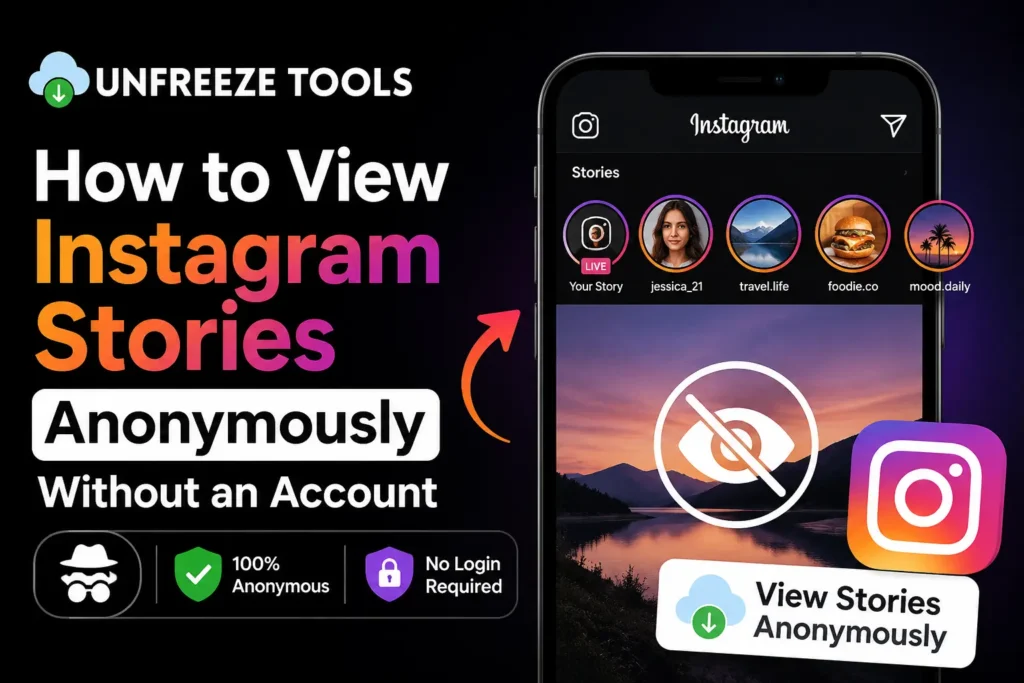
To view Instagram stories anonymously without an account in 2026, the most reliable method is using a free web-based story viewer tool. Enter the public username into the tool it fetches the story server-side without logging into any account, so your name never appears in the viewer list. Instagram has no native anonymous mode. Third-party tools for public accounts are the only consistent solution in 2026. Private accounts cannot be accessed by any viewer tool.
Instagram added the story viewer list in 2016, and since then the question has never gone away: how do you watch a story without the person knowing? For a platform with over 2 billion monthly active users, Instagram’s deliberate choice to notify story posters of every viewer has created enormous demand for workarounds and an entire ecosystem of tools built to fill that gap.
In 2026, Instagram still has no native anonymous mode. A feature request for private story viewing has circulated among users for years, and Meta has consistently declined to build it. What has changed is the quality and reliability of third-party solutions. This guide covers every method that works right now, what each one actually does, and critically which methods are unreliable or risky in 2026 so you don’t waste your time.
Why Instagram Shows Who Viewed Your Story
Instagram shows story viewers by design. When you open a story logged into your account, Instagram’s server records your session ID alongside the story view event and adds your username to the poster’s viewer list in real time. This is a core engagement feature Meta built intentionally it drives social interaction and keeps users checking who viewed their content. There is no setting, toggle, or built-in option to disable this notification. Any workaround must either avoid using your logged-in account or prevent your session from being transmitted to Instagram’s servers entirely.
Understanding why Instagram tracks views clarifies why most workarounds fail. The view is not registered client-side on your phone it is registered server-side the moment your authenticated session sends the request to load the story content. This means turning off notifications on your phone, clearing cookies afterward, or using a private browser tab while logged in do nothing. The view has already been sent to Instagram’s servers before you even see the story content.
The only ways to prevent your view from registering are to either never send an authenticated request at all (which is what anonymous viewer tools do) or to view the preloaded story before your device reconnects to the internet (the airplane mode method which is increasingly unreliable in 2026).
Can You Really Watch Stories Anonymously? The Honest Answer
Yes for public accounts only. Web-based anonymous viewer tools access Instagram’s public data without an authenticated session, which means your account never appears in the viewer list. However, no tool can access private account stories. If a profile is set to private, their stories are completely inaccessible to any third-party viewer tool the content simply is not available in Instagram’s public data layer. For public accounts, anonymous viewing via a reputable web tool works reliably in 2026.
The limitation that matters most: anonymous viewing only works on public Instagram accounts. If the person you want to view has a private account, no tool free or paid can retrieve their stories without being an approved follower. Any website claiming to show you private account stories in 2026 is either a scam, spyware, or both.
For public accounts brands, public figures, content creators, businesses, and anyone who has not set their account to private anonymous story viewing works consistently and reliably through reputable web-based tools.
5 Ways to View Instagram Stories Anonymously in 2026
The 5 methods to view Instagram stories anonymously in 2026 are: (1) web-based anonymous story viewer tools the most reliable, no account needed; (2) the airplane mode method preload stories, go offline, watch, but unreliable in 2026; (3) a secondary or burner Instagram account your real identity is hidden but a username still shows; (4) using Instagram via a web browser while not logged in works for some public profiles; (5) asking a mutual contact to show you leaves their name, not yours. Method 1 is the only one that leaves genuinely zero trace for public accounts.
Method 1: Web-Based Anonymous Story Viewer (Most Reliable)
This is the method that actually works consistently. A web-based anonymous story viewer like the Instagram Story Viewer on UnfreezeTools fetches public story data from Instagram’s servers using its own system not your account. Your name never appears in the poster’s viewer list because your account was never part of the transaction.
How to use it: Go to unfreezetools.com/instagram-story-downloader/, enter the public username of the account whose story you want to view, and the tool loads the available stories instantly. No login. No account. No trace. Works on iPhone, Android, PC, and Mac in any browser.
Method 2: Airplane Mode (Increasingly Unreliable in 2026)
The classic workaround: open Instagram, let stories fully load in your feed without tapping them, switch your device to airplane mode, then watch the preloaded stories. Close the app completely before turning airplane mode off, then clear the app cache.
The problem in 2026: Snapchat and Instagram have both significantly improved their server-side view syncing. Many users report that their views still register after reconnecting even when the cache is cleared. It works occasionally, but you cannot count on it for anything important.
Method 3: Secondary or Burner Account
Create a separate Instagram account with a neutral name and no connection to your main profile. Use this account to view stories. The poster sees a username but not yours. This is not truly anonymous, but it does protect your primary identity.
Limitation: requires maintaining a second account, and Instagram has become more aggressive about detecting and removing accounts created without a real phone number or email. Also, you need to follow the person or they need to have a public account.
Method 4: Instagram via Web Browser (Not Logged In)
On desktop, you can browse some public Instagram profiles through instagram.com without logging in. Stories are accessible for some public accounts this way. Your view may or may not register depending on Instagram’s current behavior this has changed multiple times in recent years.
Method 5: Ask a Mutual Contact
Ask someone who follows the person to show you the story directly. Their name appears in the viewer list, not yours. This works for genuine curiosity but is not practical for professional use cases like competitor research.
From experience: A brand manager I worked with was monitoring a competitor’s Instagram story strategy without wanting to tip them off. She was using a burner account but the competitor still recognized the account name pattern she used. After switching to the UnfreezeTools Instagram Story Viewer, she could monitor daily without leaving any trace. She said it changed how she runs competitive intelligence entirely no more fake accounts, no more worrying about being recognized.
Using UnfreezeTools Instagram Story Viewer (Step by Step)
To use the UnfreezeTools Instagram Story Viewer anonymously, go to unfreezetools.com/instagram-story-downloader/ and type the exact Instagram username of the public account in the search bar. Click Search. The tool fetches and displays all currently live stories from that profile. Click any story to watch it. You can also download stories directly to your device. No login required, no Instagram account needed, works on all devices, completely free. Only works for public accounts.
- Go to the tool visit UnfreezeTools Instagram Story Viewer
- Enter the username type the exact Instagram username (without @) of the public account
- Click Search the tool retrieves all currently live stories from that profile
- Watch anonymously click any story thumbnail to view it. Your name does not appear anywhere.
- Download if needed click the download button on any story to save it directly to your device in original quality
The entire process takes under 30 seconds. You can also use the Instagram Video Downloader to save videos from public posts, or the Snapchat Story Viewer for the same anonymous viewing experience on Snapchat. All tools are free and require no account.
Limitations: What You Cannot Do Anonymously
You cannot view private Instagram account stories anonymously no tool can access content that Instagram has hidden behind a private account’s privacy settings. You also cannot like or comment on stories anonymously, reply to stories without revealing your identity, or view stories that have already expired (Instagram stories disappear after 24 hours). Anonymous viewing tools only work with currently live stories on public accounts. If a story has expired, it is gone from the public layer entirely.
- Private accounts completely inaccessible without an approved follow request. No tool can bypass this.
- Expired stories once 24 hours have passed, the story is gone from Instagram’s public data. Cannot be retrieved after expiry.
- Interacting while anonymous liking, commenting, replying, or sharing requires your account and immediately removes anonymity
- Instagram Highlights some tools can access public Highlights (saved stories), but not all. UnfreezeTools can access Highlights from public accounts.
Privacy and Safety Considerations
Using a reputable web-based anonymous story viewer for public accounts is safe when the tool is browser-based, requires no login, and does not ask you to install anything. Avoid any tool that asks for your Instagram username, password, or login a legitimate anonymous viewer never needs your credentials because it accesses public data, not your account. Also avoid downloadable apps claiming to enable anonymous Snapchat or Instagram viewing many are data-harvesting tools or malware. Stick to browser-based tools from established platforms.
The safety rule is simple: a legitimate anonymous story viewer never asks for your Instagram password. It should never require you to connect your account. If a tool asks you to log in to watch someone else’s story, leave immediately that is either a phishing attempt or a tool that will view the story using your account (which defeats the entire purpose).
From experience: A journalism student I mentored needed to research a public figure’s Instagram presence for a story. She had used one of the shadier “anonymous viewer” sites and ended up with her browser redirected to a survey scam. After switching to UnfreezeTools, the process was clean, instant, and free from any redirect or data-collection attempt. The difference in experience was immediate.
For broader context on Instagram’s privacy policies and what data the platform collects, Instagram’s official Help Center explains story viewer settings and privacy controls in detail. For all social media downloading and viewing tools in one place, explore the full UnfreezeTools suite including the Snapchat Story Viewer and Instagram Post Downloader.
Frequently Asked Questions
Q: Does Instagram notify you when someone views your story through a third-party viewer tool?
A: No when a tool like the UnfreezeTools Instagram Story Viewer accesses public story data server-side, Instagram’s notification system never receives a view event tied to your account. The profile owner sees no record of your viewing. This is why web-based tools are the only truly anonymous method for public accounts.
Q: Can I view stories from a private Instagram account anonymously?
A: No. Private account content is inaccessible to any third-party tool including all anonymous story viewers. Private accounts hide their content entirely from Instagram’s public data layer. Only approved followers can see private account stories, and being an approved follower means the poster can see your username in their viewer list.
Q: Is it legal to view public Instagram stories anonymously?
A: Viewing publicly posted content is legally permitted in virtually all jurisdictions the same way anyone can read a public website without identifying themselves. Anonymous viewer tools only access content the account owner has voluntarily made public. What is not acceptable is using viewed content to harass, stalk, or harm anyone. Always use these tools responsibly.
Q: Does the airplane mode trick still work in 2026?
A: Unreliably. Instagram has improved its server-side view syncing significantly since 2023. Many users report that views still register after reconnecting, even after clearing the app cache. It works occasionally, but it is not dependable for anything where anonymity matters. Web-based viewer tools are far more reliable.
Q: Can I download Instagram stories anonymously using UnfreezeTools?
A: Yes. The Instagram Story Viewer on UnfreezeTools lets you watch and download stories from public accounts in original quality no watermark, no login, no cost. Downloaded files save directly to your device. The account owner receives no notification of the download or view.
Watch Without Being Watched Starting Today
Anonymous Instagram story viewing is not complicated when you use the right tool. Web-based viewers do exactly one thing: fetch public content without your account in the loop. The poster sees nothing. You see everything they have made publicly available.
For public accounts, the UnfreezeTools Instagram Story Viewer is free, instant, and requires no login whatsoever. Explore the full Instagram toolkit for additional tools including the Instagram Video Downloader and Instagram Post Downloader. All free. All no-login. All instant.