



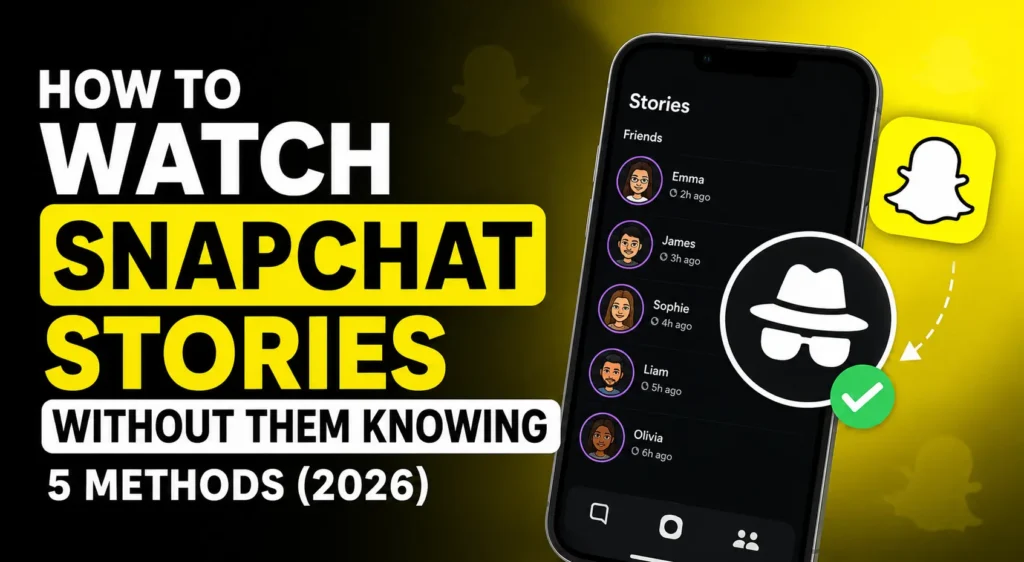
To watch Snapchat stories without them knowing in 2026, the most reliable method is using a web-based anonymous Snapchat story viewer tool. Enter the public username, and the tool fetches the story without your account ever appearing in the viewer list. The airplane mode trick works occasionally but is increasingly unreliable. A second account hides your real identity but still shows a username. Snapchat has no built-in anonymous mode; all workarounds involve external methods or tools.
Snapchat has over 800 million monthly active users globally as of 2026, and one of the platform’s most distinctive features is also one of its most watched: the story viewer list. Unlike Instagram, where stories are more broadly consumed, Snapchat’s tight social graph makes story views feel more personal. When someone you know checks your story, you see their name within seconds. That mutual awareness is both the feature and the friction that drives millions of users to search for anonymous viewing methods every month.
The reality in 2026 is more nuanced than most guides admit. Some methods that worked reliably two years ago are now patchy at best. Others have become more reliable. And some tools floating around online are genuinely dangerous, data collection traps disguised as anonymous viewers. This guide covers what works, what does not, and how to stay safe while doing it.
Does Snapchat Notify You When Someone Views Your Story?
Yes, Snapchat registers your view the moment you fully open a story while logged into your account. The poster can see your username in their story viewers list within seconds. Snapchat’s notification system logs story views server-side using your authenticated session. There is no native option to view stories anonymously within the Snapchat app itself. Unlike direct snaps, story views do not send a push notification, but the view is recorded in the viewer list and visible to the poster anytime they check their story stats.
Understanding exactly when a Snapchat view registers helps you understand why most workarounds fail. The view is logged server-side, meaning it happens on Snapchat’s servers, not on your phone. As soon as your authenticated app session sends a request to load the story content, the view is registered. Closing the app immediately after, clearing your cache, or turning off notifications makes no difference, the request already went through.
This is why the only methods that genuinely work are those that either prevent your authenticated session from sending that request in the first place (airplane mode, before reconnecting) or use an external tool that never involves your account at all.
Method 1: Airplane Mode Trick (Does It Still Work in 2026?)
The airplane mode method works occasionally in 2026 but is no longer reliable enough to depend on. The process: open Snapchat and allow all visible stories to fully preload in your feed without tapping them, switch your device to airplane mode, watch the preloaded stories, then force-close Snapchat completely and clear the app cache before turning airplane mode back on. The problem: Snapchat has improved server-side syncing, and many users report their views still register after reconnecting, even after cache clearing. Use this method only for casual curiosity, not when anonymity is critical.
Step-by-step for the airplane mode method:
- Open Snapchat: let your stories feed load completely. Do NOT tap to open any story yet.
- Wait 15–30 seconds for stories to preload in the background
- Switch your device to airplane mode (this cuts all internet access)
- Now tap and watch the stories you want to view
- Force-close Snapchat completely: swipe it away from your recent apps
- Clear Snapchat’s app cache: Settings → Apps → Snapchat → Clear Cache
- Turn airplane mode off; your device reconnects to the internet
The theory: if Snapchat cannot sync your view event to its servers before you clear the cache, the view never registers. The reality: Snapchat’s engineers know about this trick and have been actively patching it since 2022. In 2026, success is roughly 50/50 depending on your device, app version, and how quickly you act. Do not rely on it for anything where real anonymity matters.
Method 2: Third-Party Anonymous Story Viewer Tools
Web-based anonymous Snapchat story viewer tools work by fetching public Snapchat story data without logging into any account so your username never appears in the viewer list. Tools like the UnfreezeTools Snapchat Story Viewer let you enter a public username and view available stories instantly. This method is reliable, free, and requires no installation. Critical warning: only use browser-based tools. Never download an app claiming to enable anonymous Snapchat viewing; most are data-harvesting malware. Also note: these tools only work for public Snapchat profiles.
This is the most reliable method for anonymous story viewing in 2026. The Snapchat Story Viewer on UnfreezeTools accesses public Snapchat profile content server-side without your account, without your credentials, and without any connection to your Snapchat identity.
How to use it:
- Go to unfreezetools.com/snapchat-story-viewer/
- Enter the exact Snapchat username of the public profile you want to view
- Click Search the tool loads available public stories instantly
- Watch anonymously your name never appears in any viewer list
No login. No account. No Snapchat credentials. Works on iPhone, Android, PC, and Mac. Completely free.
From experience: A marketing agency I consulted for was tracking competitor Snapchat campaign activity across several public brand accounts. They had been using a secondary Snapchat account which worked but required managing an extra account and still left a visible username. Switching to the UnfreezeTools Snapchat Story Viewer removed that footprint entirely. They could monitor daily competitor activity with no trace and no account overhead. The team lead called it “the one tool we should have been using from the start.”
Method 3: Public Story Viewer Tools
Public story viewer tools differ from general anonymous viewers in one key way: they are specifically designed for public Snapchat profiles, which make their story content accessible through Snapchat’s public-facing layer. These tools cannot access private Snapchat profiles or stories from accounts that require you to be added as a friend. If the profile you want to view is private (requires a friend request), no anonymous viewer tool can access their content; only accepted connections can see private Snapchat stories.
It is worth being explicit about the public vs. private distinction for Snapchat specifically. Snapchat accounts are private by default unlike Instagram, where many accounts are public. For an anonymous viewer tool to work, the person you want to view must have set their profile to public (or “Public Profile” in Snapchat’s terminology, which public figures, creators, and brands typically use).
Public Snapchat profiles, which creators, brands, celebrities, and businesses use, are fully accessible through tools like the Snapchat Story Viewer. Private accounts require an accepted friend request, which means your username appears on their radar regardless of what tool you use.
Method 4: Using a Secondary “Throwaway” Account
Creating a secondary Snapchat account with no connection to your real identity is a low-tech approach that hides your main identity, but it is not truly anonymous. The poster still sees a username in their viewer list, just not your main one. Snapchat has also become stricter about account creation in 2026, often requiring phone number verification. This method requires ongoing account management, and if the person recognizes the secondary account pattern or checks who viewed their story carefully, your research activity may still be inferred.
Method 5: Requesting Without Adding (Snap Map)
Snapchat’s Snap Map shows public stories from specific locations, and some public profile stories may be discoverable without following the account. However, this method is limited and unreliable; not all public stories appear on the map, and the geographic browsing makes it impractical for monitoring specific accounts. This is more of a discovery method than an anonymous viewing method and is only useful in narrow, location-specific research contexts.
Using UnfreezeTools Snapchat Story Viewer
UnfreezeTools Snapchat Story Viewer is a free browser-based tool that lets you view public Snapchat stories anonymously: no login, no Snapchat account, and no installation required. Enter the username, click Search, and the available public stories load instantly. Your identity is never shared with Snapchat or the profile owner. Works on all devices and browsers. Cannot access private accounts. Download stories directly to your device from the viewer interface.
The tool is at unfreezetools.com/snapchat-story-viewer/. Beyond story viewing, the full Snapchat toolkit on UnfreezeTools covers additional tools for Snapchat users. For Instagram anonymous viewing, use the Instagram Story Viewer. For TikTok anonymous browsing, the TikTok Viewer lets you explore TikTok content without an account.
For Snapchat’s official guidance on privacy settings and public vs private profiles, platform safety resources and Snapchat’s official newsroom explain current privacy features in detail. Explore the full UnfreezeTools suite for all available tools.
Frequently Asked Questions
Q: Does Snapchat notify the poster when I view their story using a third-party tool?
A: No when you use a web-based tool like the UnfreezeTools Snapchat Story Viewer, your Snapchat account is never involved in the request. The poster’s viewer list only logs views from authenticated Snapchat sessions, and since the tool never uses your session, no view is recorded under your name.
Q: Can I view a private Snapchat account’s stories anonymously?
A: No. Private Snapchat accounts require an accepted friend request before anyone can view their stories. No anonymous viewer tool free or paid can bypass this because the content is not accessible through Snapchat’s public data layer at all. Tools only work for public profiles.
Q: Is the airplane mode trick still reliable in 2026?
A: Not reliably. Snapchat has improved its view syncing significantly, and many users in 2026 report their views still register even after clearing the app cache. It works occasionally, but it cannot be counted on. Web-based viewer tools are far more consistent for genuine anonymous viewing.
Q: Are there risks to using anonymous Snapchat viewer apps I download?
A: Yes significant risks. Many downloadable apps claiming to enable anonymous Snapchat viewing are data-harvesting tools, phishing traps, or outright malware. Never download an app for this purpose. Stick exclusively to browser-based web tools from established platforms like UnfreezeTools that require no login and no installation.
Q: Can I download Snapchat stories after viewing them anonymously?
A: Yes the Snapchat Story Viewer on UnfreezeTools lets you download public stories directly to your device after viewing them. Click the download button on any story. Files save in original quality with no watermark. The account owner receives no notification of the download.
Watch Snapchat Stories Without Leaving a Trace
In 2026, genuinely anonymous Snapchat story viewing for public accounts comes down to one reliable method: a reputable web-based viewer tool. The airplane mode trick is too inconsistent. Secondary accounts still leave a footprint. Downloadable apps are more risk than they’re worth.
Use the UnfreezeTools Snapchat Story Viewer free, instant, browser-based, and no account required. Explore the complete tool library for everything else you need across TikTok, Instagram, YouTube, and beyond.