


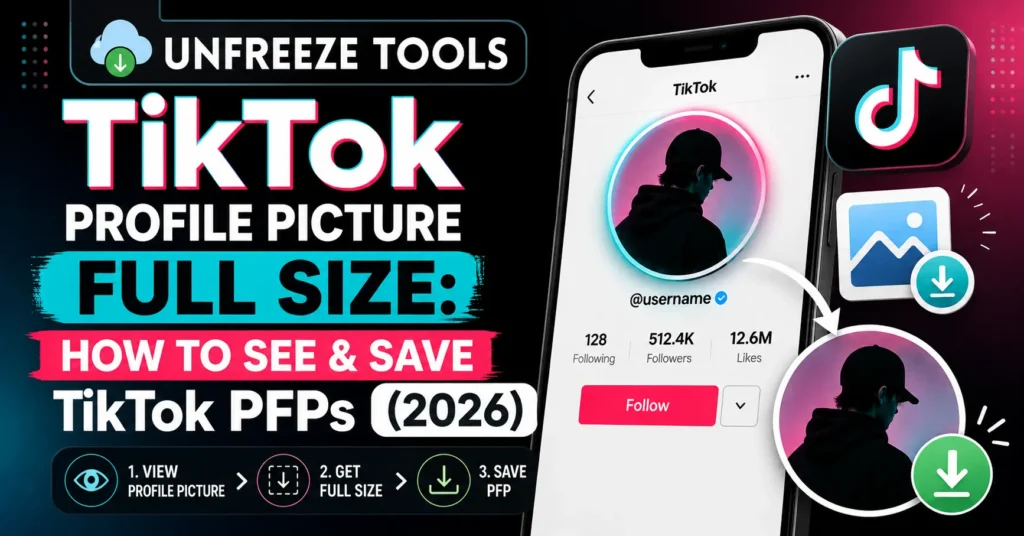
To see a TikTok profile picture in full size and save it in HD, use the UnfreezeTools TikTok Profile Picture Downloader at unfreezetools.com/tiktok-profile-picture-download/ enter the TikTok username and the tool retrieves the full-resolution profile picture instantly. TikTok’s app displays profile pictures in a small, cropped circle and provides no native download option. The downloader bypasses this and delivers the original full-size image for any public TikTok account. No login required. Free.
TikTok is a video-first platform, but profile pictures matter more than most creators realize. Your PFP is the one image that appears next to every video you post, every comment you leave, and every duet you create. At the tiny circle size TikTok displays in the app, typically 100–150 pixels in diameter, you can barely see the detail. Viewing it at full size reveals a completely different level of detail in the design.
TikTok has no built-in option to download or even view profile pictures at their original resolution. Tapping on a profile picture in the app either opens the profile page or does nothing. Right-clicking on desktop or long-pressing on mobile gives you a compressed, cropped thumbnail version at best. For creators researching profile picture design, brands verifying creator identities, or anyone who simply wants to see a TikTok PFP clearly, a dedicated downloader is the only practical solution.
Why TikTok Doesn’t Allow Direct Profile Picture Download
TikTok restricts direct profile picture downloads for a combination of privacy and copyright reasons. Profile pictures often include personal photos, professional headshots, or branded logos TikTok’s design decision to not provide a download button reduces the ease of misusing these images. Technically, TikTok stores profile pictures on its CDN servers at full resolution but displays them only in small compressed circles within the app interface. Third-party tools that access TikTok’s public API can retrieve the full-resolution version that TikTok stores but does not expose through its standard interface.
This is the same design pattern used by most major social platforms the image exists at high resolution on their servers, but the platform deliberately does not expose a download button in the UI. Instagram does the same thing with profile pictures, as does Snapchat and Twitter/X. The image is technically accessible through the platform’s public API if you know how to request it which is exactly what dedicated tools like the TikTok Profile Picture Downloader do.
How to View a TikTok Profile Picture in Full Size
To view a TikTok profile picture in full size, go to unfreezetools.com/tiktok-profile-picture-download/ and enter the TikTok username. The tool retrieves and displays the profile picture at its full stored resolution, significantly larger and sharper than what appears in the TikTok app. You can view it directly in the browser or download it to your device. This works for any public TikTok account. Private accounts may have restrictions on profile picture access depending on their privacy settings.
The process takes under 15 seconds:
- Find the username open TikTok, navigate to the profile whose picture you want, copy the username from the URL or the @ handle on their profile page
- Go to the tool visit unfreezetools.com/tiktok-profile-picture-download/
- Enter the username type or paste the username (without @) into the search field
- View and download the full-size profile picture loads instantly. Click Download to save it to your device.
No TikTok account needed. No login. Works on iPhone, Android, desktop, and tablet. Completely free.
Using UnfreezeTools TikTok PFP Downloader (No Login Required)
The UnfreezeTools TikTok Profile Picture Downloader works by accessing TikTok’s public profile data through its API and retrieving the full-size stored image rather than the compressed display version shown in the app. Enter any public TikTok username, and the tool returns the original profile picture resolution, typically 200×200 to 720×720 pixels, depending on what the account owner uploaded. The downloaded image saves as a JPG file to your device. No account connection, no personal data collection, no watermark added.
From experience: A brand partnership team I advised needed to verify creator identity before signing an influencer contract specifically, confirming that the profile picture matched the person’s identity documents. The TikTok app version was too small and compressed to make any confident comparison. Using the TikTok PFP Downloader to retrieve the full-size image made the verification straightforward in seconds. What seemed like a minor technical limitation (the app’s small PFP display) had become a real workflow bottleneck a simple free tool fixed it instantly.
What File Format Are TikTok Profile Pictures?
TikTok stores profile pictures as JPEG (.jpg) files on its CDN servers. When you upload a profile picture to TikTok, the platform processes and compresses the image into JPEG format regardless of the original format you uploaded (PNG, WEBP, HEIC, etc.). The downloaded file from a TikTok PFP downloader will be a JPEG. For creators who want to use a downloaded profile picture as a reference for design work, JPEG at the stored resolution is sufficient for color analysis, composition study, and visual reference though not for print at large sizes due to JPEG compression.
How to Use a TikTok PFP for Inspiration Ethically
Using a downloaded TikTok profile picture as design inspiration is ethically acceptable studying how other creators or brands structure their visual identity is standard professional practice. What is not acceptable is using someone else’s profile picture as your own, claiming their image as your original work, or using it in any commercial context without permission. Downloaded PFPs are useful for: color palette extraction, composition analysis, font identification in branded PFPs, and benchmarking your own visual identity against competitors in your niche. Use as reference, never as replacement for original design.
For creators redesigning their TikTok profile picture, downloading and studying top-performing accounts in your niche is one of the most practical research steps available. At full size, you can clearly see the design decisions: face crop positioning, background color choices, whether text is used and if so what font weight, and how the image reads at small circular display size. These details are invisible at the tiny size TikTok shows in the app.
Best TikTok Profile Picture Sizes and Specifications for 2026
TikTok recommends uploading profile pictures at a minimum of 200×200 pixels, with 720×720 pixels being the optimal upload size for the sharpest display. TikTok crops all profile pictures into a circle, so design your image with the important content centered and away from the corners (which will be cropped out). Use a simple, high-contrast image that reads clearly at 100 pixels diameter the size most viewers will see it in the app. Avoid small text, complex backgrounds, or detailed graphics that disappear at small sizes. TikTok accepts JPG, PNG, and GIF formats.
For your own profile picture optimization: the circle crop removes the corners of your image. If you are using a headshot, center your face with some space above the top of your head and below your chin. If you are using a logo, ensure it has sufficient padding around the design to avoid the edges being cut off by the circular mask.
For more TikTok tools, the TikTok Viewer lets you browse TikTok content anonymously without an account, and the TikTok Video Downloader saves videos without watermark. Explore the full TikTok toolkit for all available tools. For official TikTok safety and content guidelines, TikTok’s safety center covers platform policies in detail.
Frequently Asked Questions
Q: Can I download a TikTok profile picture without following the account?
A: Yes, the TikTok Profile Picture Downloader on UnfreezeTools works for any public TikTok account without requiring you to follow them, log into TikTok, or create any account. Simply enter the username and download instantly.
Q: What resolution will the downloaded TikTok profile picture be?
A: The resolution depends on what the account owner originally uploaded. TikTok stores profile pictures at up to 720×720 pixels. Most account profile pictures download in the range of 200×200 to 720×720 pixels significantly larger and sharper than what appears in the app’s small circular display.
Q: Is it legal to download someone’s TikTok profile picture?
A: For personal use, research, or reference purposes, downloading a publicly displayed profile picture is generally legally permissible under fair use principles in most jurisdictions. Profile pictures displayed publicly on TikTok are visible to anyone. What is not permitted is using the downloaded image commercially, misrepresenting it as your own, or using it in ways that could harm the original creator. Always use downloaded content responsibly.
Q: Why does the TikTok app show profile pictures in such low quality?
A: TikTok displays profile pictures as small circles typically 100–150 pixels in the app interface because that is all the space allocated in its UI. The platform prioritizes video content display over profile picture clarity. The full-resolution image exists on TikTok’s servers but is only delivered at the compressed, cropped size needed for the circular display element.
Q: Can I use the same tool to view Instagram profile pictures in full size?
A: For Instagram profiles, use the Instagram Profile Viewer on UnfreezeTools it retrieves Instagram profile pictures at full size using the same approach. Both tools are free, require no login, and work on all devices.
See TikTok Profile Pictures the Way They Were Meant to Be Seen
TikTok’s tiny circular profile picture display hides a lot of detail. Whether you are studying how top creators design their visual identity, verifying someone’s account authenticity, or simply curious what a profile picture actually looks like at full resolution, getting the original image should take seconds not a technical workaround session.
Use the UnfreezeTools TikTok Profile Picture Downloader for free no login, no account, instant download. Explore the complete TikTok toolkit and the full tool library for everything you need across all major social platforms.