



To convert TikTok to MP3, copy the TikTok video link, tap Share on the video, then copy the link and paste it into the UnfreezeTools TikTok MP3 Converter at unfreezetools.com/tiktok-mp3-converter/, and tap Convert. The tool extracts the audio track and delivers an MP3 download in seconds. No login, no TikTok account, no watermark. Works on iPhone, Android, PC, and Mac. Audio quality matches TikTok’s stored bitrate, typically 128kbps AAC converted to MP3.
TikTok’s sound library is one of the most culturally influential audio sources on the internet in 2026 trending sounds, viral speeches, original music clips, podcast excerpts, educational audio, and DJ mixes all flow through TikTok’s For You Page daily. Sometimes the video is irrelevant. You just want the audio.
The TikTok app has no native “save audio as MP3” feature. The in-app sound saving only works within TikTok itself saved sounds can only be used in new TikTok videos, not extracted as files to your device. To get the actual MP3 file, a dedicated converter is the only option. This guide covers how to do it, what quality to expect, and the specific use cases where TikTok-to-MP3 conversion is most valuable.
How TikTok Audio Extraction Works
When you convert a TikTok video to MP3, the converter accesses TikTok’s public video URL, downloads the MP4 file, extracts its embedded AAC audio track, re-encodes it to MP3 format, and delivers the audio-only file for download. TikTok encodes all uploaded videos with AAC audio at approximately 128kbps. The MP3 conversion re-encodes this to MP3 at a matching or similar bitrate. Since TikTok already compresses audio during upload, the source quality is the limiting factor not the converter. The result is a 128kbps MP3 that is indistinguishable from the audio you hear in the TikTok app.
Understanding the audio chain clarifies what quality to expect. TikTok’s audio quality is fixed at their encoding level; a converter cannot produce better audio than TikTok’s stored version. What a good converter does is deliver that stored audio cleanly and quickly, without additional quality loss in the re-encoding step.
The MP3 format is slightly lossy compared to TikTok’s AAC encoding at the same bitrate, because MP3 is an older codec that is less efficient than AAC. At 128kbps, both sound excellent for casual listening, podcasts, and music. Audiophiles working with high-quality original recordings may notice a marginal quality difference, but for the vast majority of TikTok content, 128kbps MP3 is perfectly fine.
Step-by-Step: Convert TikTok to MP3
To convert TikTok to MP3 using UnfreezeTools: open TikTok, find the video with the audio you want, tap the Share button, and select Copy Link. Open your browser and go to unfreezetools.com/tiktok-mp3-converter/. Paste the link into the input field and tap Convert. The tool processes the video and extracts the audio. Tap “Download MP3 and the file saves to your device. On iPhone, the MP3 saves to the Files app. On Android, it saves to your Downloads folder. Total time: under 30 seconds for most videos.
- Open TikTok and find the video whose audio you want
- Tap Share (the arrow icon on the right side)
- Tap Copy Link; the video URL copies to your clipboard
- Open your browser and go to the TikTok MP3 Converter
- Paste the link into the input field
- Tap Convert: the tool extracts the audio
- Tap Download MP3; the file saves to your device
From experience: A podcast editor I worked with was using TikTok as a source for short expert commentary clips. Creators in her niche would post valuable 60-second insight videos that she wanted to incorporate into her podcast as audio references. Screen recording and then extracting audio was taking 10–15 minutes per clip. The TikTok MP3 Converter reduced each extraction to under 30 seconds. She processed 20 clips in the time it previously took to do two.
Best Use Cases for TikTok MP3 Conversion
The most common legitimate use cases for converting TikTok videos to MP3 in 2026 are: saving a trending sound as a ringtone or notification tone, adding a TikTok audio to a workout or study playlist, extracting a speech or educational monologue for offline listening, using a TikTok sound as background audio in your own video project, importing audio into a DAW or podcast editing app that does not accept video files, and identifying a song snippet by running the MP3 through Shazam or SoundHound. All of these involve personal, non-commercial use of the audio file.
What distinguishes legitimate MP3 use from problematic use is redistribution. Saving a TikTok sound as your ringtone, adding it to your personal playlist, or using it as reference audio in your own creative work are personal uses. Re-uploading the extracted audio to streaming platforms, selling it, or claiming authorship of someone else’s original music is not acceptable and violates both TikTok’s terms and copyright law.
TikTok MP3 vs Downloading as MP4
Choose MP3 when you only need the audio and have no use for the video footage. MP3 files are dramatically smaller than a one-minute TikTok, as an MP3 at 128 kbps is approximately 1 MB, versus 20–50 MB as a 1080p MP4. Choose MP4 using the TikTok Video Downloader when you need the visual content for reference, rewatching, editing, or compilations. If you are unsure, download MP4 first. You can always extract audio from an MP4 later, but you cannot recover video from an MP3 file. For audio-only needs, MP3 is the efficient choice.
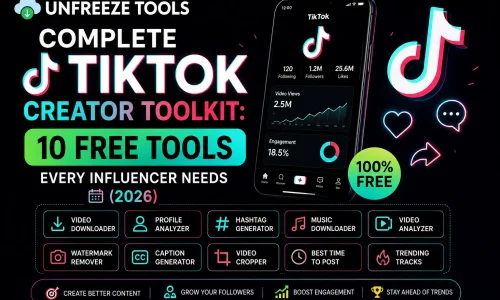
For full TikTok video downloads including both audio and video, use the TikTok Video Downloader. For the full TikTok tools available, explore the complete TikTok toolkit. For context on TikTok’s audio ecosystem and trending sounds data, DataReportal’s 2026 social media reports cover TikTok’s cultural reach in detail.
Legal Considerations for TikTok Audio Downloads
Converting TikTok audio to MP3 for personal, non-commercial use is broadly accepted under fair use principles in most jurisdictions. The legal complexity increases with original music; many TikTok videos use commercially licensed tracks that copyright holders have licensed for streaming on TikTok but not for download or redistribution. Extracting a commercially licensed song from a TikTok video for personal listening sits in a legal gray area similar to recording FM radio, which courts have historically treated as personal fair use. Commercial redistribution of extracted audio is clearly prohibited. Original creator content (voiceovers, original music, speeches) carries its own copyright owned by the creator.
Frequently Asked Questions
Q: Can I convert any TikTok video to MP3?
A: The TikTok MP3 Converter works for any public TikTok video. Private account videos and videos on accounts set to private require TikTok authentication to access and cannot be converted by external tools. If you can view the video without a TikTok account, it can be converted.
Q: What audio quality does the TikTok MP3 conversion produce?
A: The output MP3 matches TikTok’s stored audio bitrate approximately 128kbps. TikTok compresses audio during upload, so the source quality is fixed by TikTok’s encoding. The converter delivers that quality cleanly without additional degradation. For 128kbps audio, quality is excellent for casual listening, playlists, ringtones, and podcast use.
Q: Does the MP3 file include TikTok’s watermark sound?
A: No. The extracted MP3 is the pure audio track from the video it does not include any watermark. TikTok adds visual watermarks to downloaded videos, not audio watermarks to the sound track. The MP3 you receive is a clean audio extraction.
Q: Can I add TikTok MP3 files to Apple Music or Spotify?
A: Locally downloaded MP3 files can be added to Apple Music and iTunes as local files. Spotify removed local file support from mobile devices in 2023. For Apple Music, import the MP3 into your iTunes library and it syncs across devices with your Apple Music subscription.
Q: Is there a file size limit for TikTok MP3 conversions?
A: No the UnfreezeTools TikTok MP3 Converter handles TikTok videos of any length. Longer videos take slightly more processing time, but there is no imposed file size limit. Most TikTok conversions complete in 10–30 seconds regardless of video length.
Extract TikTok Audio in Seconds Free and No Login
TikTok is one of the richest audio discovery platforms in the world. Getting the audio you want as an MP3 file should take 30 seconds, not 15 minutes. The UnfreezeTools TikTok MP3 Converter is free, instant, requires no account, and delivers clean 128kbps MP3 files directly to your device.
For the full TikTok experience, explore the complete TikTok toolkit including the TikTok Video Downloader for full MP4 downloads and the TikTok Viewer for anonymous browsing. All free. All no-login. All instant.