




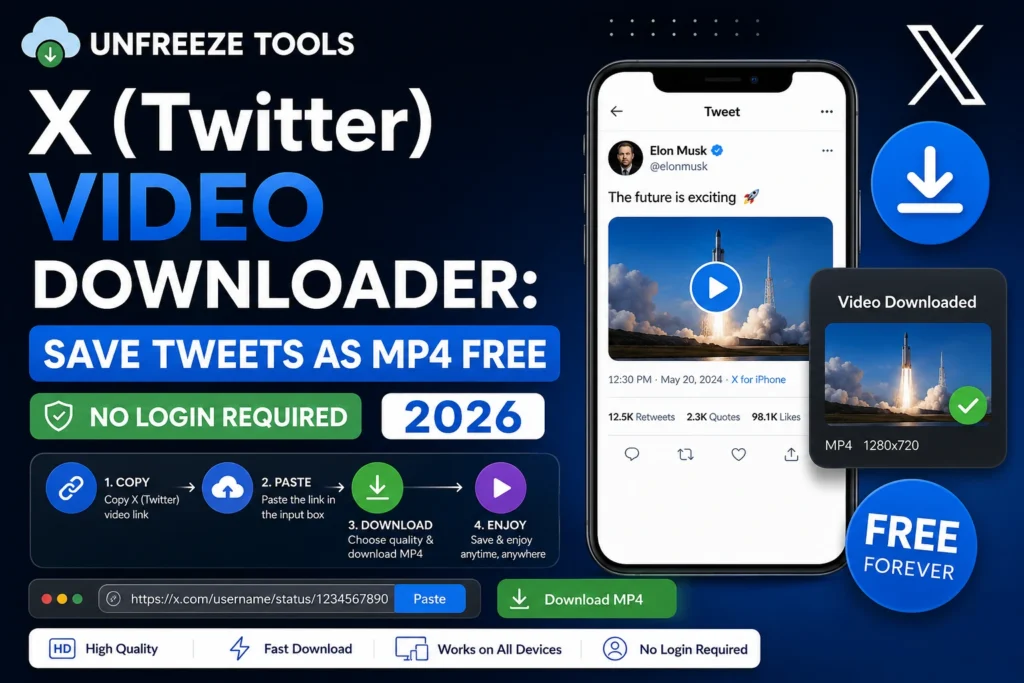
To download X (Twitter) videos as MP4, copy the tweet URL, tap Share on the tweet, and select Copy Link. Then paste it into the UnfreezeTools X Video Downloader. The tool retrieves the video and offers quality options (1080p, 720p, 480p). Select your preferred quality and click Download. Works for videos, GIFs, and short clips from public tweets. No Twitter or X account needed. Free, no watermark added.
X, formerly Twitter, has over 600 million monthly active users in 2026 and hosts an extraordinary volume of news clips, sports highlights, political moments, entertainment clips, and creator content all posted as videos directly within tweets. Yet X provides no native download button for tweet videos, forcing users to rely on third-party tools to save content they want to keep.
The X video download landscape in 2026 has changed noticeably since Elon Musk’s acquisition of Twitter. X has implemented stricter API restrictions, several major Twitter video downloaders have stopped working or have become unreliable, and the platform has shifted more content behind login walls. Understanding what still works and what the current limitations are saves significant frustration.
What Can Be Downloaded From X (Twitter)
Using the UnfreezeTools X Video Downloader in 2026, you can download standard tweet videos (MP4 clips embedded in public tweets), Twitter/X GIFs (which are actually silent looping MP4 files, not true GIFs), and video clips from threaded tweets. You cannot download videos from protected (private) X accounts, X Spaces audio sessions via a video downloader, videos from tweets that have been deleted before you attempt the download, or DM video content (private messages require authentication). Videos from public X profiles are fully accessible.
One important distinction: X GIFs are not true GIF files. When someone posts what appears to be a GIF on X, the platform converts it to a silent looping MP4 for performance reasons. When you download an X GIF using a video downloader, you receive an MP4 file without audio; this is correct behavior, not an error. If you need a true GIF format, convert the downloaded MP4 using a free video-to-GIF tool after downloading.
How to Download X Videos Step by Step
To download an X video: open the tweet containing the video, tap the Share icon (the upload arrow or three dots), and select Copy Link. On desktop, right-click the tweet timestamp and select Copy Link, or copy the URL from the browser address bar. Open your browser and go to unfreezetools.com/x-video-downloader/, paste the tweet URL, and click Download. The tool presents quality options: 1080p HD, 720p, or 480p depending on the original upload. Select your quality and download. The MP4 saves directly to your device.
- Find the tweet with the video you want to save
- Copy the tweet URL:
- Mobile: tap the Share button → Copy Link to Tweet
- Desktop: click the three dots (···) on the tweet → Copy link to Tweet, or copy from the browser address bar
- Go to the UnfreezeTools X Video Downloader
- Paste the tweet URL and click Download
- Select quality; choose 1080p for best quality, 720p for a balance of quality and file size
- Save to your device
From experience: A sports journalist I worked with covered breaking news that frequently involved viral X video clips game-winning moments, press conference clips, controversial plays. He needed reliable local copies of these clips before they could be deleted or made private. The UnfreezeTools X Video Downloader became a standard part of his workflow. He saved over 200 clips in a single season, all organized by date and subject in a local folder structure that his editor could access directly.
Quality Options: 1080p, 720p, 480p
X (Twitter) video downloads are available in multiple quality options depending on the original upload resolution. Most X videos are available in up to 1080p (Full HD), with 720p and 480p as lower-resolution alternatives. Choose 1080p for any video intended for archiving, editing, or viewing on a large screen. Choose 720p for a good quality-to-file-size balance on mobile. Choose 480p only if storage is very limited. X GIFs download as a single silent MP4 with no quality options; they are typically low resolution by nature since GIFs are not high-resolution content.
Downloading Videos From X Threads
Videos embedded in X threads multi-tweet sequences can be downloaded by copying the specific tweet URL that contains the video, not the thread’s overall URL. Click on the individual tweet within the thread that contains the video, copy that specific tweet’s URL, and paste it into the X Video Downloader. Each tweet in a thread has its own unique URL. Thread-level URLs often contain multiple tweets without a single video; to extract the individual tweet URL is always the correct input.
For all platform video downloaders, explore the complete downloaders toolkit on UnfreezeTools. For statistics on X’s current user base and content landscape, DataReportal’s 2026 social media reports provide comprehensive platform data. For related tools, the TikTok Video Downloader and Facebook Video Downloader follow the same simple workflow.
Frequently Asked Questions
Q: Do I need a Twitter or X account to download videos?
A: No. The UnfreezeTools X Video Downloader requires no X account, no Twitter login, and no personal information. It accesses public tweet data directly. For public tweets, the tool works entirely without authentication.
Q: Why can’t I download videos from some X accounts?
A: Protected X accounts (accounts with the padlock icon) restrict their content to approved followers only. No external tool can access content from protected accounts. Additionally, X has placed some content behind age-verification login walls these videos also cannot be downloaded without authentication.
Q: Can I download X Spaces as video or audio?
A: X Spaces are live and recorded audio conversations they are not video content. A video downloader cannot retrieve Spaces recordings. Spaces replays are audio-only and are accessible directly through X’s platform for a limited time after the Space ends.
Q: Does the X Video Downloader add a watermark to downloaded files?
A: No. The UnfreezeTools X Video Downloader does not add any watermark. The downloaded MP4 is a clean copy of the original tweet video.
Q: Can I download GIFs from X as actual GIF files?
A: X converts all GIFs to silent looping MP4 files internally. The downloader retrieves this MP4, which is what X actually stores. If you specifically need a GIF file, download the MP4 and use a free MP4-to-GIF converter afterward. The UnfreezeTools tool library continues to expand with additional conversion tools.
Save Any X Video Before It Disappears
Tweets get deleted. Accounts go private. Breaking news clips disappear from X faster than anywhere else. The UnfreezeTools X Video Downloader lets you save any public tweet video instantly no account, no app, no watermark, completely free.