



To download Pinterest videos without an app, copy the Pinterest video pin URL from the address bar or the share menu, paste it into the UnfreezeTools Pinterest Video Downloader at unfreezetools.com/pinterest-video-downloader/, and click Download. The video saves to your device with no watermark and no Pinterest account required. Works for video pins and animated pins (GIFs). No app installation needed runs entirely in any browser on iPhone, Android, or desktop.
Pinterest has over 518 million monthly active users in 2026 and is increasingly a video-first platform. Video pins which include product demonstrations, DIY tutorials, recipe videos, home decor ideas, and fashion inspiration clips now account for a significant share of Pinterest’s highest-engagement content. Yet Pinterest, like most major platforms, provides no native download button for video pins from other accounts.
The most common Pinterest video download question in 2026 is whether you still need to install an app to do it. The answer is no browser-based tools have made app installation completely unnecessary for this use case, and they work more reliably than many app-based solutions that have faced Play Store and App Store delisting in recent years.
What Kinds of Pinterest Content Can Be Downloaded
The UnfreezeTools Pinterest Video Downloader works for three types of Pinterest content: standard video pins (MP4 video clips pinned directly to Pinterest), animated pins (GIFs saved as pins these download as GIF files or MP4 depending on the original format), and video pins saved from external sources like YouTube or Instagram that were embedded as Pinterest pins. Static image pins cannot be downloaded using a video downloader they are simply images accessible by right-clicking on desktop. Story Pins (now called Idea Pins) have varying downloadability depending on their format.
Pinterest video pins are distinct from Pinterest’s embedding of external videos. When someone pins a YouTube video to Pinterest, the pin links to YouTube it is not a Pinterest-hosted video and the download would come from YouTube’s infrastructure, not Pinterest’s. The Pinterest Video Downloader works for Pinterest-hosted video pins specifically videos that live directly on Pinterest’s servers rather than linking out to YouTube or another platform.
How to Download Pinterest Videos in 3 Steps
Step 1 Open the Pinterest video pin you want to download. On desktop, copy the URL from the browser address bar. On mobile, tap the Share button on the pin and select Copy Link.
Step 2 Open your browser and go to unfreezetools.com/pinterest-video-downloader/.
Step 3 Paste the pin URL into the input field and tap Download. The tool retrieves the video and presents a download button. Tap Download and the video saves directly to your device. No login, no Pinterest account, no app installation needed. Total time: under 30 seconds.
- Find the Pinterest video pin browse your feed, a board, or a search result
- Copy the pin URL:
- Desktop: copy from the browser address bar when the pin is open
- Mobile: tap the Share icon on the open pin → Copy Link
- Go to the Pinterest Video Downloader on UnfreezeTools
- Paste the URL and click Download
- Save the file to your device
From experience: An interior design blogger I worked with was using Pinterest as her primary mood board and reference library for client projects. She was screenshot-saving video pins losing all motion and detail in the process. After switching to the UnfreezeTools Pinterest Video Downloader, she could save full video pins to her project folders in seconds. Her clients now receive video reference files instead of static screenshots, which she says significantly improves how quickly clients communicate what they want.
Downloading Pinterest GIFs and Animated Pins
Pinterest animated pins are GIF files displayed as looping animations. When you download an animated pin using the Pinterest Video Downloader, it typically saves as an MP4 or GIF depending on how the original was hosted. MP4 is the more common output Pinterest converts many GIFs to MP4 for better performance. If you need the GIF format specifically, use a video-to-GIF converter after downloading the MP4. The quality of the downloaded animated pin matches the original upload quality, which varies by creator.
Why No App Is Needed in 2026
Browser-based Pinterest video downloaders in 2026 are as fast and capable as app-based solutions, without the risks associated with downloading third-party apps. Many Pinterest downloader apps available in 2023–2024 have been removed from app stores due to policy violations, leaving users with installed apps that no longer work. Browser-based tools have no installation friction, work on every device automatically, receive updates silently, and never access your device’s storage or contacts. For all these reasons, the browser-based approach is both safer and more reliable in 2026.
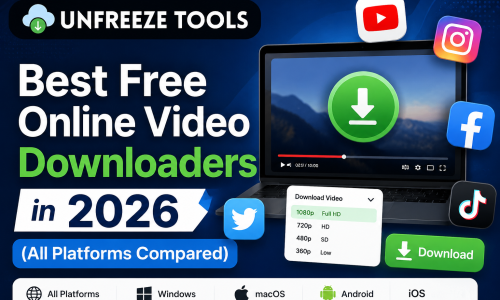
For all platform video downloaders in one place, the UnfreezeTools downloaders toolkit covers Pinterest, Facebook, Instagram, YouTube, TikTok, Twitter/X, and Dailymotion all in the same browser-based, no-login format. For platform usage statistics, DataReportal’s 2026 social media reports provide current Pinterest user data.
Frequently Asked Questions
Q: Can I download Pinterest videos on iPhone without installing an app?
A: Yes. Open Safari on your iPhone, go to unfreezetools.com/pinterest-video-downloader/, paste your Pinterest pin URL, and tap Download. The video saves to your Files app, from where you can save it to Photos. No app installation required at any step.
Q: Why won’t my Pinterest pin URL work in the downloader?
A: The most common cause is that the pin contains an externally linked video (e.g., a YouTube video embedded as a Pinterest pin) rather than a Pinterest-hosted video. Pinterest-hosted video pins have URLs in the format pinterest.com/pin/[number]. If the video plays from YouTube when you click it, use the YouTube Video Downloader instead with the YouTube URL.
Q: Do downloaded Pinterest videos have a watermark?
A: No the Pinterest Video Downloader does not add any watermark to downloaded files. The downloaded video is a clean copy of the original pin in its hosted quality.
Q: Can I download Pinterest videos from private boards?
A: No. Private Pinterest boards require a Pinterest account login and the board must be shared with you. No external tool can access content from boards that require authentication to view. Only public pins accessible to anyone on Pinterest without logging in are downloadable.
Q: What format do downloaded Pinterest videos save in?
A: Pinterest-hosted videos typically download as MP4 files, which play on all devices and in all video players. Animated GIF pins may download as MP4 or GIF depending on how Pinterest has stored the original file.
Save Pinterest Video Pins in Seconds No App Required
Pinterest video pins are some of the most useful reference content on the internet and saving them should not require a separate app, an account, or technical knowledge. The UnfreezeTools Pinterest Video Downloader makes it a three-step process from any browser on any device, completely free.
Explore the complete tool library for all social media downloading and viewing tools. For related downloaders, try the Instagram Video Downloader and Facebook Video Downloader same workflow, all platforms covered.